
Time slips through our fingers like sand when we lack a solid plan. The difference between feeling overwhelmed and being in control often comes down to one simple tool: a well-structured weekly schedule.

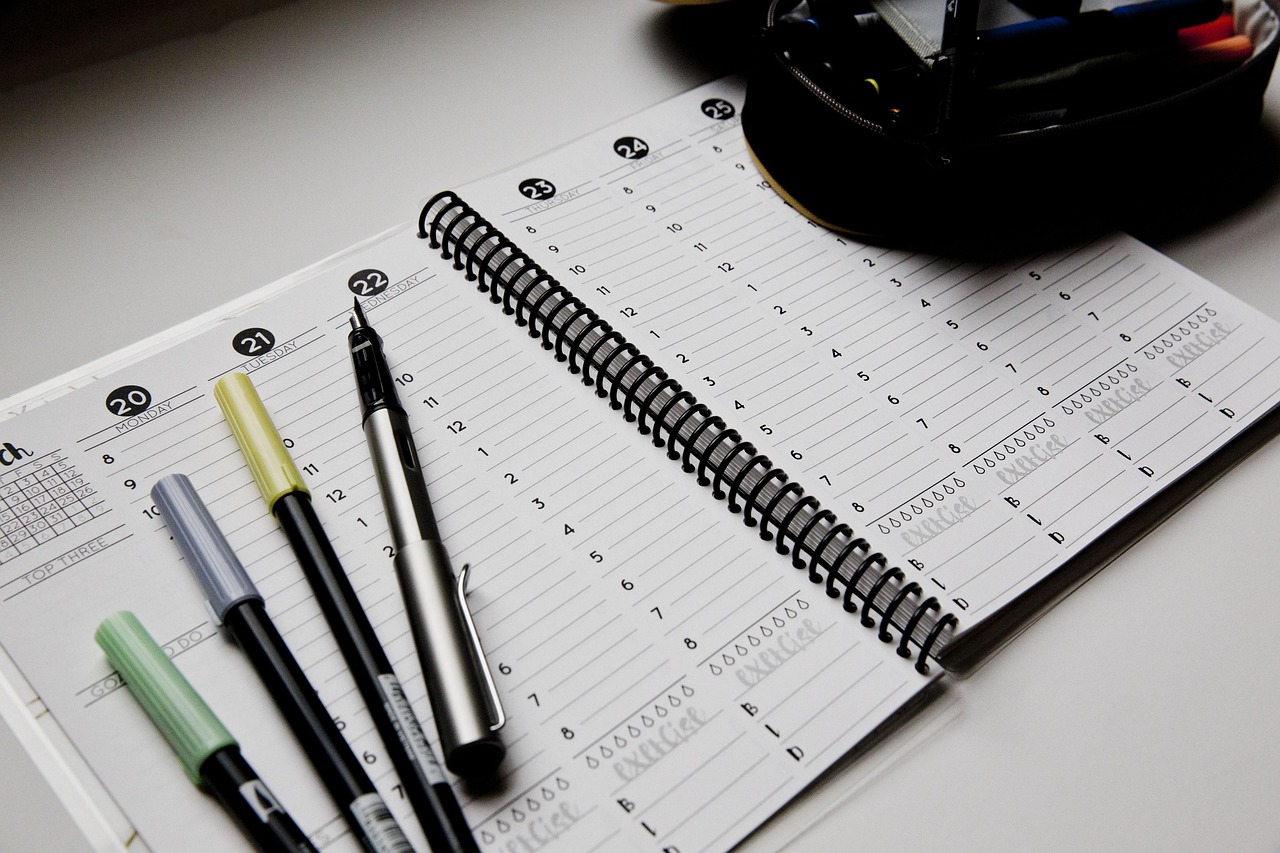
In today’s fast-paced world, managing your time effectively isn’t just a nice-to-have skill—it’s essential for success. Whether you’re juggling multiple projects at work, balancing family commitments, or pursuing personal goals, having a customizable weekly scheduling template can transform chaos into clarity. These powerful tools provide the framework you need to visualize your week, prioritize what matters most, and ensure nothing important falls through the cracks.
Why Weekly Planning Trumps Daily Planning Every Time ✨
Many people make the mistake of planning just one day at a time, but this approach often leads to reactive rather than proactive time management. Weekly planning gives you the bird’s-eye view necessary to make strategic decisions about where your time should go.
When you plan your entire week in advance, you can identify potential conflicts before they become problems. You’ll spot opportunities to batch similar tasks together, reducing the mental load of constant context-switching. More importantly, weekly planning helps you ensure that your daily activities align with your bigger goals and priorities.
Research consistently shows that people who engage in weekly planning report lower stress levels and higher productivity. They’re less likely to forget important commitments and more likely to make progress on long-term objectives. The simple act of looking ahead creates a sense of control that daily planning alone cannot provide.
The Core Elements of an Effective Weekly Schedule Template 📋
Not all scheduling templates are created equal. The most effective ones share certain characteristics that make them both functional and flexible enough to adapt to different lifestyles and work styles.
Time Blocking Sections
The foundation of any good weekly template is clear time blocks that help you visualize your day in manageable chunks. These blocks typically range from 30-minute to 2-hour segments, allowing you to allocate specific activities to specific times.
Time blocking prevents the common problem of underestimating how long tasks actually take. When you assign tasks to specific time slots, you develop a more realistic sense of your capacity and can plan accordingly.
Priority Indicators
Your template should include a system for marking priority levels. This could be as simple as color coding or using symbols to distinguish between urgent, important, and routine tasks. Priority indicators help you make quick decisions about what deserves your attention first when you’re inevitably pulled in multiple directions.
Goal Tracking Space
The best templates include dedicated space for your weekly goals or key objectives. This keeps your bigger picture in focus and helps you ensure that your daily activities are actually moving you toward meaningful outcomes rather than just keeping you busy.
Reflection and Notes Area
A section for notes, reflections, or quick captures is invaluable. This gives you space to jot down ideas, track what worked well, or note adjustments needed for future weeks. Over time, these notes become a valuable resource for understanding your productivity patterns.
Different Templates for Different Lives 🎯
The beauty of customizable templates is that they can be tailored to fit virtually any lifestyle or profession. What works for a corporate professional won’t necessarily work for a freelancer, student, or stay-at-home parent.
The Professional Power User Template
For corporate professionals and entrepreneurs, a template that emphasizes meetings, project blocks, and strategic work time is essential. This template typically includes sections for client calls, deep work sessions, email processing, and administrative tasks.
This format often integrates well with digital calendar systems and includes space for tracking key performance indicators or business metrics. The focus is on maximizing billable hours, managing multiple projects simultaneously, and ensuring strategic initiatives don’t get lost in the daily grind.
The Student Success Template
Students need templates that balance class schedules, study sessions, assignment deadlines, and extracurricular activities. The best student templates include dedicated blocks for each subject, visual reminders for upcoming tests or papers, and flexible time for group projects.
These templates often feature more granular time blocks during peak study hours and include prompts for self-care activities to prevent burnout. They help students develop the time management skills that will serve them throughout their academic careers and beyond.
The Family Coordination Template
Parents and caregivers need templates that can accommodate multiple people’s schedules in one view. These templates typically include separate rows or color codes for each family member, making it easy to spot conflicts and coordinate activities.
Meal planning sections, household task rotations, and kid activity trackers are common features. This type of template transforms family scheduling from a source of stress into a collaborative tool that helps everyone know what to expect.
The Creative Professional Template
Freelancers, artists, and creative professionals often work on multiple projects with varying deadlines. Their ideal template balances client work with creative exploration time and includes space for inspiration capture and creative practice.
These templates typically feature more flexible time blocks to accommodate the non-linear nature of creative work while still providing enough structure to meet deadlines and maintain client relationships.
Customization: Making Your Template Truly Yours 🎨
The real magic happens when you customize a template to match your unique needs and preferences. Generic templates can provide a starting point, but personalization is what transforms them into powerful productivity tools.
Start by identifying your natural energy patterns. Are you a morning person who does your best thinking before noon? Block your most challenging tasks during your peak hours. Night owl? Design your template to acknowledge that your productive time might not align with traditional business hours.
Consider your specific commitments and rhythms. If you have recurring meetings every Tuesday at 2 PM, that should be pre-filled in your template. If you always go to the gym on Monday, Wednesday, and Friday mornings, build that structure into your baseline schedule.
Color coding is one of the most powerful customization tools available. Assign different colors to different life areas—work, family, self-care, learning, etc. This visual differentiation makes it instantly clear where your time is going and helps you spot imbalances at a glance.
Digital vs. Paper: Choosing Your Format 💻
One of the most common debates in productivity circles is whether digital or paper planning is superior. The truth is that both have distinct advantages, and the best choice depends on your personal preferences and circumstances.
The Case for Digital Templates
Digital templates offer unmatched flexibility and integration capabilities. They can sync across devices, send automatic reminders, and be easily adjusted when plans change. Digital tools often include features like recurring events, search functions, and the ability to share schedules with team members or family.
Apps designed specifically for weekly planning can provide analytics about how you’re spending your time, suggest optimal scheduling patterns, and integrate with other productivity tools in your workflow. The convenience of having your schedule accessible on your phone, tablet, and computer simultaneously cannot be overstated.
The Benefits of Paper Planning
Despite the digital revolution, many highly productive people swear by paper planners. The physical act of writing activates different parts of your brain, potentially improving memory and commitment. There’s no notification competing for your attention, no battery to die at the wrong moment, and no learning curve for new software.
Paper templates can be more satisfying to use, offering a tactile experience that many find grounding. The act of crossing off completed tasks provides a concrete sense of accomplishment that digital checkboxes sometimes lack. Plus, paper planners never need updates or compatibility checks.
The Hybrid Approach
Many successful planners use a combination of both formats. They might use a digital calendar for time-specific appointments and meetings that need reminders, while maintaining a paper weekly template for goal tracking, task lists, and reflective planning. This hybrid approach leverages the strengths of both methods.
Implementation: Actually Using Your Template Effectively ⚡
Having a beautiful template means nothing if you don’t use it consistently. The key to successful implementation lies in establishing routines around your planning practice.
The Weekly Planning Session
Set aside 30-60 minutes at the end of each week to plan the next one. Many people find Sunday evening or Friday afternoon ideal for this ritual. During this session, review your goals, check upcoming commitments, and map out your week with intention.
This planning time isn’t just about filling in boxes—it’s strategic thinking time. Ask yourself: What are my top three priorities this week? What potential obstacles might I face? How can I structure my time to support my goals while maintaining balance?
The Daily Review Practice
Each morning, spend 5-10 minutes reviewing your plan for the day. Make any necessary adjustments based on how the previous day went or new information that’s emerged. This brief check-in keeps your template relevant and ensures you’re starting each day with clarity.
At the end of each day, take a few minutes to update your template with what actually happened versus what you planned. This reality check helps you become more accurate in your time estimates and more aware of where your time actually goes.
Common Pitfalls and How to Avoid Them 🚧
Even with the best templates, people often stumble into predictable traps that undermine their planning efforts.
Over-Scheduling Every Minute
One of the most common mistakes is trying to schedule every single minute of your week. This approach leaves no room for the unexpected, which life inevitably delivers. Build buffer time between activities, and leave some blocks intentionally open for flexibility.
A good rule of thumb is to schedule only 60-70% of your available time. The remaining space accommodates interruptions, tasks that run long, and opportunities that arise unexpectedly. This buffer prevents your entire schedule from collapsing when one thing doesn’t go according to plan.
Ignoring Energy Management
Time management and energy management are not the same thing. You might have time available, but if you’re mentally exhausted, that time won’t be productive. Schedule challenging work during your peak energy periods and save routine tasks for when your energy naturally dips.
Failing to Include Non-Work Activities
Your schedule should reflect your whole life, not just your work obligations. Explicitly schedule exercise, leisure time, social activities, and rest. What doesn’t make it onto your schedule often doesn’t happen, and these elements are crucial for sustainable productivity.
Being Too Rigid
Your template is a tool to serve you, not a tyrant to obey. If something isn’t working, adjust it. If your plan for the day needs to change due to new circumstances, change it without guilt. Flexibility and adaptability are signs of intelligent planning, not failure.
Measuring Success: Know When Your System is Working 📊
How do you know if your weekly planning template is actually improving your productivity? Beyond the general feeling of being more organized, there are concrete indicators to watch for.
First, you should notice a reduction in decision fatigue. When you’ve pre-planned your week, you spend less mental energy figuring out what to do next. This saved cognitive capacity can be redirected toward actually doing the work.
You should also see progress on your longer-term goals. If weeks go by and you’re not moving forward on what matters most to you, your template might be facilitating busyness rather than productivity. Adjust accordingly.
Track your stress levels over time. Effective weekly planning should generally reduce anxiety about forgetting things and feeling overwhelmed. If your planning practice is creating more stress than it relieves, something needs to change.
Advanced Strategies for Power Users 🚀
Once you’ve mastered the basics of weekly planning, you can implement more sophisticated strategies to squeeze even more value from your templates.
Theme Days
Consider dedicating different days to different types of work. For example, Mondays might be for planning and meetings, Tuesdays and Thursdays for deep creative work, Wednesdays for client communication, and Fridays for learning and administrative tasks. This reduces context-switching and allows you to build momentum within each area.
Time Tracking Integration
Combine your planning template with time tracking to understand the gap between how you plan to spend your time and how you actually spend it. This data reveals patterns and helps you make more realistic plans in the future.
Review and Iterate Cycles
Every month or quarter, conduct a deeper review of your planning system. What patterns are you noticing? What adjustments would make your template more effective? Continuous improvement of your system compounds over time into significant productivity gains.
Your Week, Your Way: Taking Action Today 🌟
The perfect weekly planning template is the one you’ll actually use consistently. It doesn’t need to be elaborate or beautiful—it needs to be functional for your life and supportive of your goals.
Start simple. Choose or create a basic template that includes the essential elements: time blocks, priority indicators, and goal space. Use it for a full week without judgment, simply observing what works and what doesn’t. Then refine based on your experience.
Remember that your needs will evolve over time. The template that serves you well during a busy project launch might not be ideal during a maintenance phase. The system that works during the school year might need adjustment for summer. Stay flexible and willing to adapt.
Investing time in weekly planning saves far more time than it consumes. Those 30 minutes of planning can prevent hours of confusion, forgotten commitments, and wasted effort throughout the week. It’s one of the highest-return activities you can engage in.
The chaos of modern life doesn’t have to control you. With a customizable weekly scheduling template tailored to your unique needs, you can master your week with ease, reduce stress, and make consistent progress on what matters most. Your future self will thank you for the clarity and intention you bring to your time starting today.